


How to Delete an Instagram Account Step by Step
Learn how to delete your Instagram account step by step in 2025. This complete guide explains permanent deletion, temporary deactivation, data backup, important warnings, and common issues in a simple and safe way.

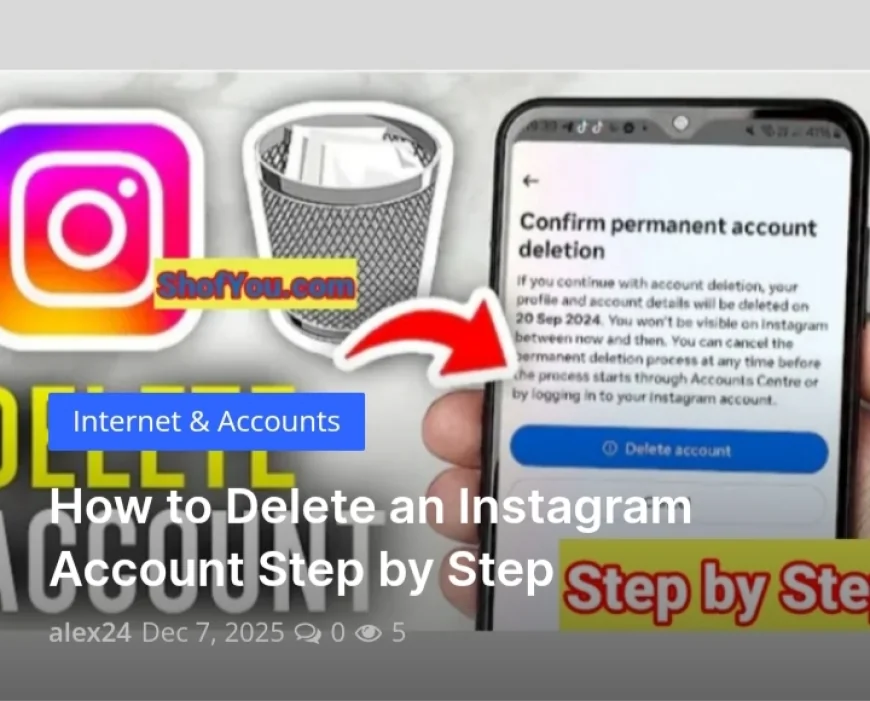
How to Delete an Instagram Account Step by Step
Instagram is one of the most popular social media platforms in the world, with billions of users sharing photos, videos, and stories every day. However, many people eventually decide to delete their Instagram accounts for various reasons, including privacy concerns, mental health, productivity, digital detox, or switching to other platforms.
If you’re searching for how to delete an Instagram account step by step, you’re in the right place. This complete guide will walk you through everything you need to know, including permanent deletion, temporary deactivation, important warnings, data backup, common mistakes, and FAQs.
This guide is written in a simple, clear, and beginner-friendly way so anyone can follow it without confusion.
Why People Delete Their Instagram Accounts
Before diving into the steps, let’s quickly explore some of the most common reasons people decide to leave Instagram:
-
Privacy concerns and data security
-
Too much screen time and social media addiction
-
Cyberbullying or online harassment
-
Business or brand strategy changes
-
Mental health and stress reduction
-
Productivity and focus improvement
-
Switching to other platforms like TikTok or YouTube
No matter your reason, Instagram gives you two options:
✅ Temporarily deactivate your account
✅ Permanently delete your account
Important Difference: Deactivate vs Delete Instagram
Many users confuse these two options, so let’s clarify them first:
✅ Temporarily Deactivate Instagram
-
Your profile, photos, likes, and comments are hidden
-
You can reactivate anytime by logging back in
-
Data is NOT deleted permanently
-
Good for short breaks
❌ Permanently Delete Instagram
-
Your account, photos, videos, messages, and followers are deleted forever
-
You cannot recover your data after 30 days
-
Your username may become unavailable
-
Best for users who want to quit Instagram permanently
⚠️ Warning: Once the 30-day grace period ends, all your data is permanently erased.
What You Should Do Before Deleting Your Instagram Account
Before you delete your account, it’s highly recommended to back up your data. This includes your photos, videos, and messages.
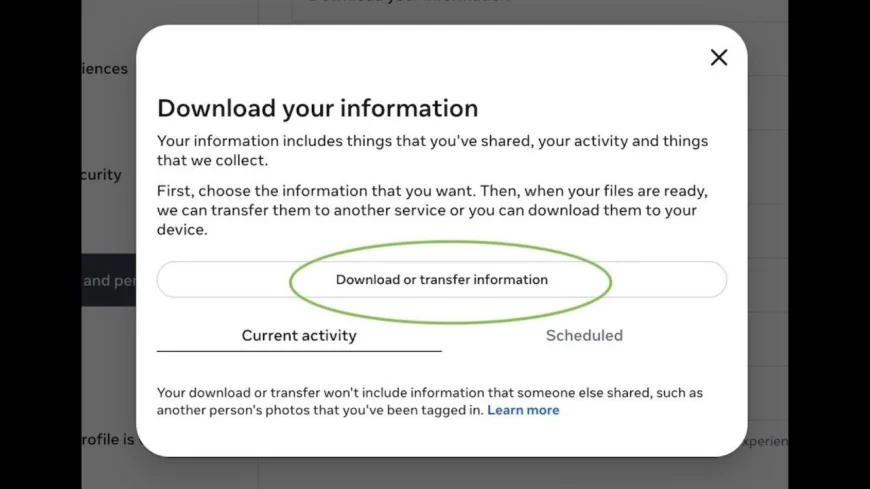
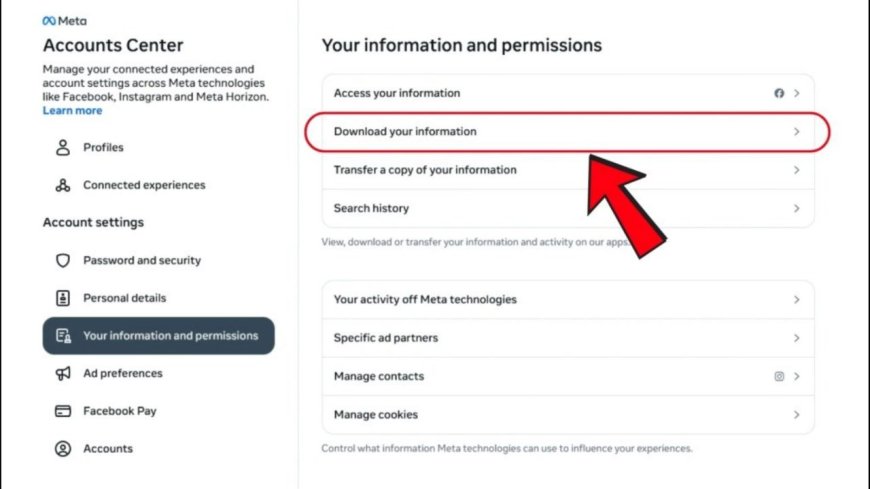
How to Download Your Instagram Data:
-
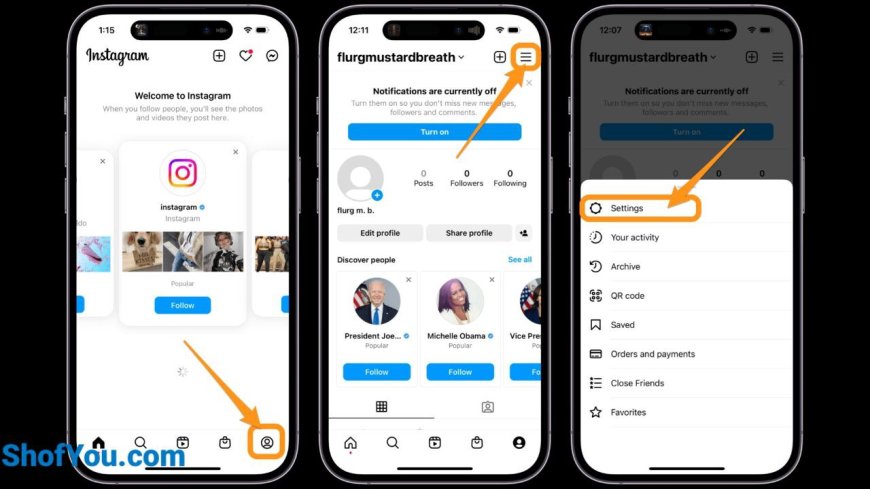
Open Instagram
-
Go to Settings
-
Tap Accounts Center
-
Select Your information and permissions
-
Tap Download your information
-
Choose what data you want
-
Enter your email and wait for the download link
This process can take a few minutes or even several hours depending on your data size.
How to Delete an Instagram Account Step by Step
Instagram does NOT allow permanent deletion directly from the app. You must use a browser.
✅ Step 1: Open the Official Instagram Delete Page
Go to the official account deletion page using your browser.
✅ Step 2: Log In to Your Account
Enter your username and password if you’re not already logged in.
✅ Step 3: Select a Reason for Deletion
Instagram will ask why you want to delete your account. Choose any option from the dropdown menu.
Examples:
-
Too busy / too distracting
-
Privacy concerns
-
Too many ads
-
Creating a new account
✅ Step 4: Re-enter Your Password
For security reasons, Instagram will ask you to confirm your password.
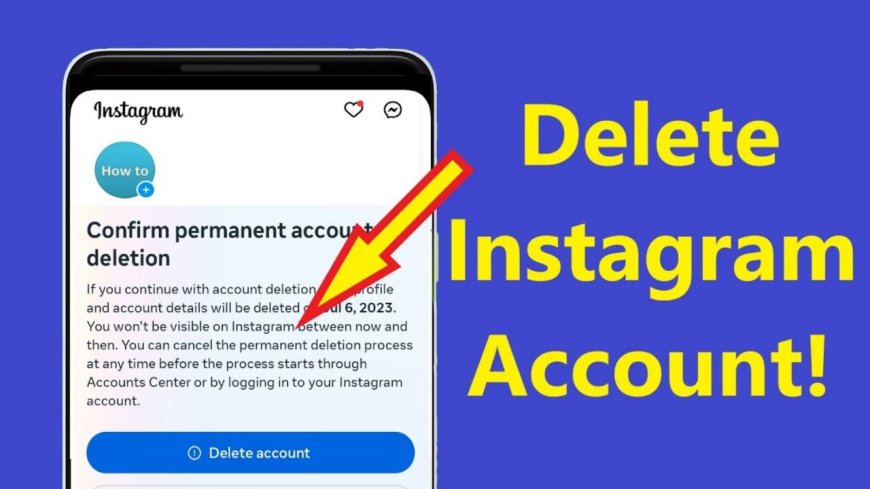
✅ Step 5: Click “Delete Account”
Once confirmed, your account enters a 30-day pending deletion period.
During this time:
-
Your profile becomes invisible
-
Your data is not accessible to others
-
You can cancel deletion by logging in again
After 30 days, your account and all data are permanently removed.
How to Delete Instagram Account from a Mobile Phone
Even though Instagram doesn’t allow full deletion inside the app, you can still do it using your phone browser.
Steps:
-
Open Chrome, Safari, or any browser
-
Visit the Instagram account deletion page
-
Log in
-
Choose a reason
-
Enter your password
-
Confirm deletion
This works for both Android and iPhone devices.
How to Temporarily Deactivate Instagram Account
If you’re not ready to delete your account permanently, you can choose temporary deactivation.
Steps to Deactivate:
-
Go to Instagram using a browser
-
Log in
-
Go to your Profile
-
Click Edit Profile
-
Scroll down and choose Temporarily disable my account
-
Choose a reason
-
Enter password
-
Confirm
Your profile will be hidden until you log back in.
What Happens After You Delete Your Instagram Account?
Once your account is deleted:
-
Your photos and videos disappear permanently
-
Your followers are removed
-
Your comments and likes vanish
-
Your username becomes unavailable
-
Messages are deleted
-
You lose access to linked apps
There is no way to recover any of this after the 30-day grace period.
Common Problems When Deleting Instagram Accounts
Here are the most frequent issues users face:
-
❌ Cannot find the delete option
-
❌ Forgot password
-
❌ Account linked to Facebook
-
❌ Login errors
-
❌ Hacked accounts
Solution:
-
Reset your password
-
Verify email
-
Log in through a browser
-
Use Instagram help center
Frequently Asked Questions (FAQ)
❓ Can I delete Instagram without logging in?
No. You must log in for security reasons.
❓ Can I reuse the same email after deleting my account?
Yes, but your old username may not be reusable.
❓ How long does Instagram take to delete my account permanently?
30 days after confirmation.
❓ Can someone find my profile after deletion?
No. Your profile becomes invisible immediately after deletion.
Is It Good to Delete Instagram?
Deleting Instagram can have many benefits, including:
-
Better mental health
-
Less anxiety and comparison
-
Improved focus
-
More productivity
-
Better sleep habits
However, it also means losing social connections and memories, so always back up your data first.
Final Thoughts
Deleting your Instagram account is a big decision, but it can be very beneficial depending on your life goals, mental health, and priorities. Whether you want a short break or permanent freedom from social media, this guide gives you everything you need to make the right choice safely and confidently.
If you found this guide helpful, feel free to share it with others who may want to delete their Instagram accounts as well.
What's Your Reaction?
 Like
0
Like
0
 Dislike
0
Dislike
0
 Love
0
Love
0
 Funny
0
Funny
0
 Angry
0
Angry
0
 Sad
0
Sad
0
 Wow
0
Wow
0